iPhone · iOS 26 and later
Two sides. One person. Obviously.
A business card scanner for iPhone that needs no account, sends nothing to us, and is bought once instead of rented. It reads the Chinese side and the English side of the same card as one contact — because that is what they are.

Free to download · Pro is US$5.99 once · no subscription
The price only goes up from here — buy now and you keep today’s price forever.
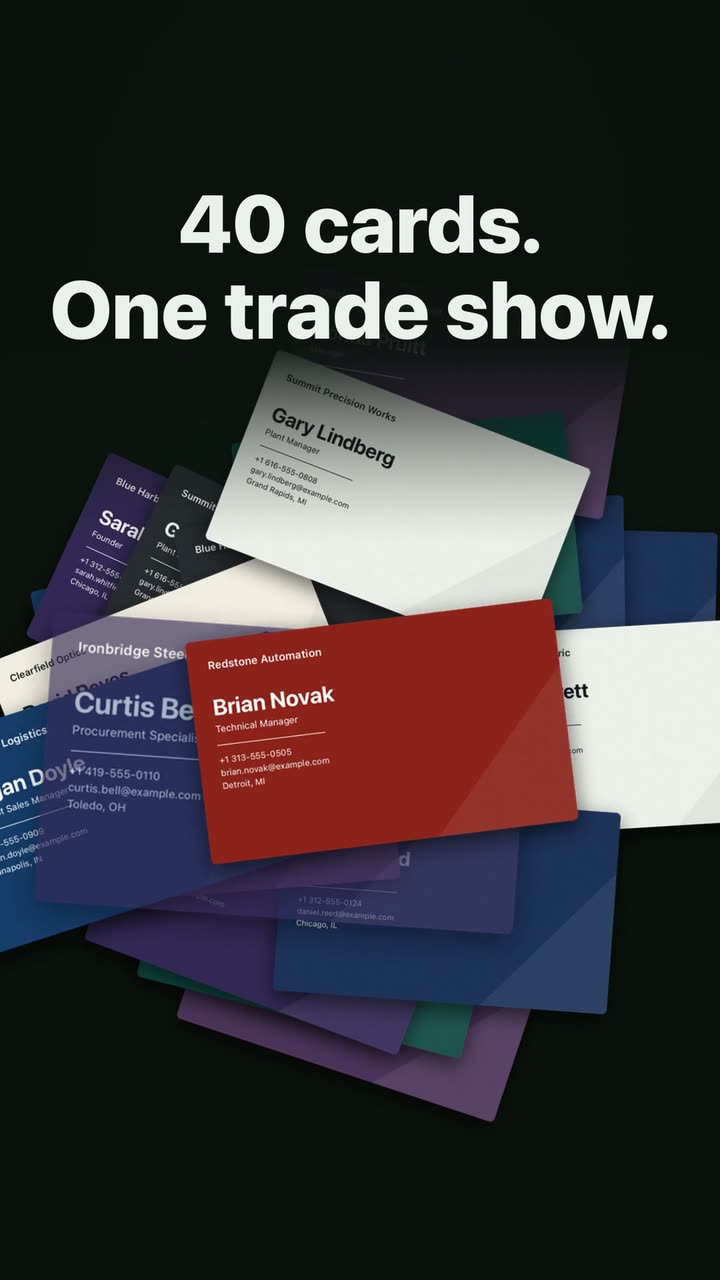
Transcript
- 40 cards. One trade show.
- Who was the machine-tool guy?
- The card’s still here. The person isn’t.
- Kardhaus Business card scanner · No subscription
- CAPTURE Point. It shoots itself.
- ON iOS 27 WITH APPLE INTELLIGENCE Private Cloud Compute sorts every field.
- REMEMBER Write down why they matter.
- FIND Find them by what you remember.
- MAP See who you met, city by city.
- PRIVATE No account. No server of ours. Purchases: a random ID. Never your cards.
- THE USUAL WAY Subscriptions keep billing.
- KARDHAUS PRO Pay once. Yours for good. $5.99 · ONCE No auto-renew · Family Sharing · Scanning free forever
- Kardhaus Every card you collect, ready to use. Scan free. Pay once. Download on the App Store kardhaus.com
Cheaper to own, faster to use, and it keeps to itself
Costs less
Free to download, and Pro is bought once. No monthly fee, no annual fee, no ads on any tier.
Answers faster
The text on a card is read on the phone, by the OCR built into iOS, the moment the shutter fires. Nothing makes a round trip to us, so there is no queue to wait in.
Asks for nothing
No account, no sign-up, nothing sent to us — your cards never reach us. Whatever the app sends from a card goes to Apple and to nobody else, and nobody is told that you scanned their card.
| One year | Five years | |
|---|---|---|
| Kardhaus bought once | US$5.99 | US$5.99 |
| Card apps on subscription the going rate | $29.99–143.88 | $149.95–719.40 |
It’s not the card you’re keeping. It’s the connection.
Buy it once
Free to download. Pro is US$5.99, one time, forever — no monthly fee, no annual fee, no ads on any tier. It is Family Shareable, so one purchase covers up to six people in your family group. The price rises in stages and we say so up front — whatever you paid, you own.
Nothing reaches us
Card text is read on your iPhone by the OCR built into iOS, and the app sends nothing to us, so your cards never reach us. **What leaves the phone from a card goes to Apple and to nobody else**: the printed address to Apple Maps, to place the card on the map; from version 1.1 on iOS 27, AI recognition to Apple’s Private Cloud Compute, which Apple built so that nothing sent is stored and not even Apple can access it; and from 1.2, a follow-up draft you ask for, the same way — never with a phone number, email or address.
One card, two faces
It asks for the back before you put the card down, then reasons over both faces at once. Chinese and English names both kept. Switchboard and direct line correctly typed, not duplicated.
New in 1.1
The card goes in before the phone is unlocked
Scan from the Lock Screen
Press Camera Control on an iPhone that has it, or use the Kardhaus control on the Lock Screen, in Control Center or on the Action Button. The camera opens without unlocking, and the card is waiting in your library the next time you open the app.
Add the back later
Shot only the front at the event, and found the English side at your desk? Open the card and tap Add Back. The other side goes onto the same card instead of becoming a new one.
A field for the branch
Two cards from one company, different offices. The branch or store now has a field of its own, so you can see which office someone is at.
Add Back and the branch field were both asked for in an App Store review.
On iOS 27 with Apple Intelligence, AI recognition now goes to Apple’s Private Cloud Compute. What leaves your phone, and when →
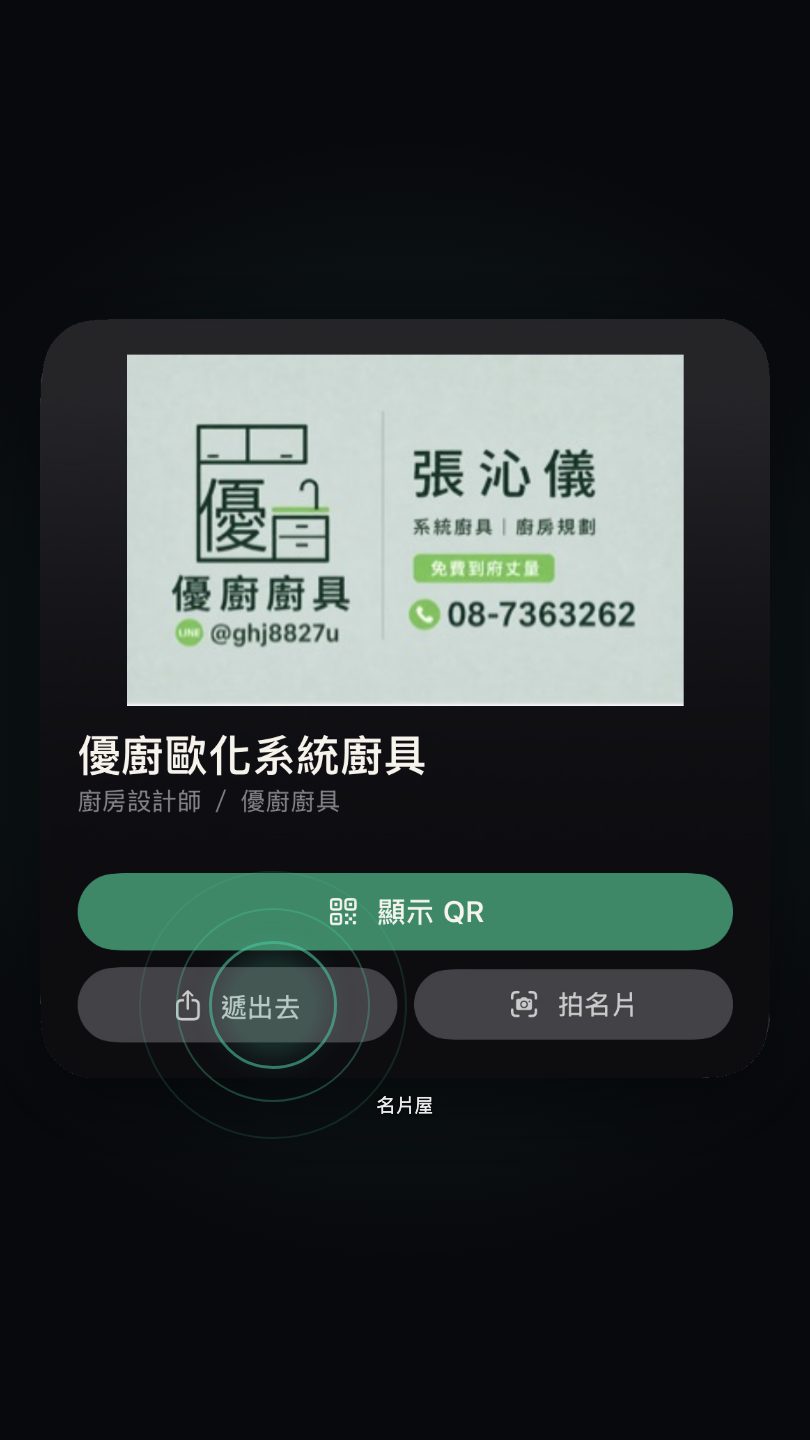
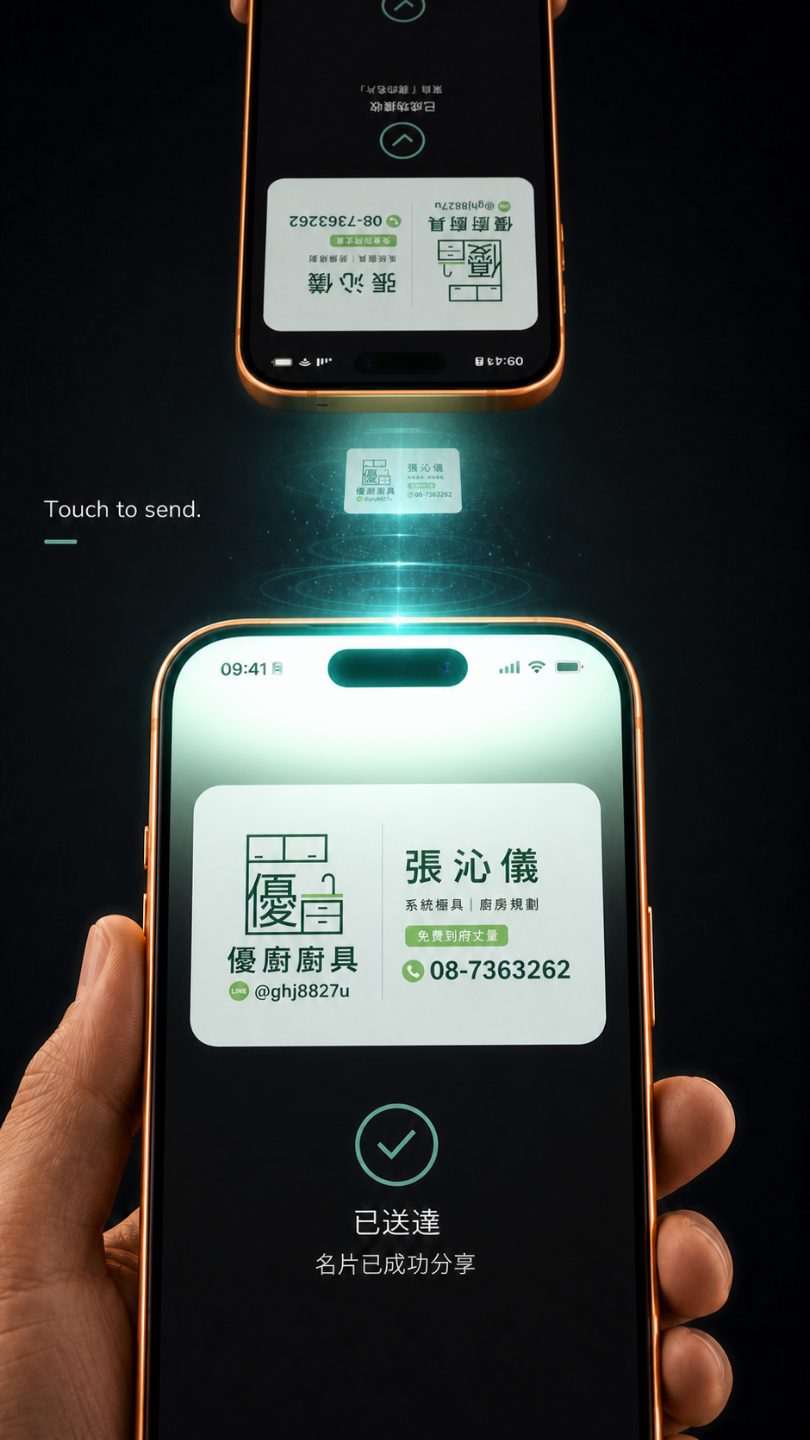
Hand yours over. They install nothing.
Your own card sits in a Home Screen widget. One tap, hold the two phones together, and it is in their Contacts — no app on their side, no account, no link to open later.
-
Tap Hand it over on the widget
The widget is your card, on the Home Screen. The tap opens the share sheet with a contact file already made, and AirDrop is in the first row.
-
Hold the two phones together
AirDrop carries it the last half metre. It is a direct transfer between the two devices, and it never passes through us.
-
Nothing to install on the other side
What lands is a .vcf, the contact file every iPhone has understood since before either of us had one. It opens in their own Contacts. If they are not on an iPhone, the widget’s QR face holds the same card for any camera.
iPhone · iOS 26 and later
Download on the App Store
Free to download · Pro is US$5.99 once · no subscription
What this is not
- Not a digital or NFC card you hand out — this reads the paper you were given.
- Not a team CRM and not a shared cloud vault. It is the personal kind — your own contacts, managed by you, on your own devices.
- Not a social network. Nobody is notified that you scanned their card.
- Not free-with-ads. There are no ads on any tier, including the free one.
Where we are still honest about the gaps
An Android version is in development; there is still no web app, no macOS app, and no CRM integration beyond CSV export. If several colleagues need to work from one shared card pool, a cloud product is the right tool and we will not pretend otherwise.
Guides that do not need us
Your iPhone can already read a business card with nothing installed. These explain how, and where the built-in tools genuinely stop being enough.